x



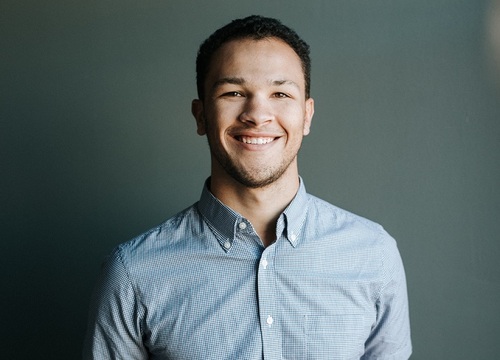
Photo by Benjamin Parker on Unsplash
When it comes to LinkedIn, there's only one photograph allowed. It's not like Facebook where you get to show every side of you. So what kind of photograph should you use?
Although this may seem pretty obvious, I have to mention it just in case - Don't use pictures of your logo, dream car, pet, you at a pub, etc. Keep it professional. Why? Because LinkedIn is a social platform for professionals and career networking, so you don't want to come across as the life of the party, even if you are.
The impression you give a recruiter or potential boss can determine whether they want to connect with you to even consider you for the job. So you can/t go wrong by play it safe and keeping things professional.
A clear headshot on a blue or white background would suffice. Put on something you would actually wear to an interview. You do not need to hire a professional to do this. You can stand near a window (to ensure good natural lighting) in your living room and get your mate, spouse or even child to take it.
Ask them to take a few shots, try out different angles and then choose the one you like the most. Simple as that :)
Make it recognisable (this does not mean you should colour your hair purple). Just ensure that your face is clearly visible. If you already have a photo loaded on your LInkedIn profile, make sure it's current and you still look like you. You dont want a "you-looked-different-in-your-photo" type situation.
And finally, smile. There's nothing more inviting than a pleasant and sincere smile. Whilst that's true there's also nothing more annoying than a fake one.
Here's to making you look good!
Melody Christie
LinkedIn Profile Writer
Telegram: https://t.me/melodychristie
Concerned your LinkedIn profile is not good enough? Already have a profile but are not getting noticed? Let me fix that for you. - Just send me a message :)














