
x
Black Bar Banner 1
x

New: AI Blog Autopilot — free for the next 30 days. Switch it on by November 15th »

NEW: Smart Mail is live — free for every member. Send broadcasts, build lists and run autoresponders. Open Smart Mail »

Training: Lesson 14 in Getting Started with MarketHive. Watch it now »

A+ A−
Ads by Markethive - View All
The Blog Feed
The Blog Feed
» Blog Feed
Write a New Blog Post
Search Blog Status
Most Viewed
Most Recent
Most Shared
Alphabetical
Markethive Blog (default)
My Blog Posts
Friends' Blogs
Blog Categories
All
Advertising
Blockchain & Cryptocurrency
Business Development
Diet & Weight Loss
Environmental
Health and Wellness
History and Culture
Home and Garden
Marketing
Mentoring & Training
Money & Finance
Other
Political
Prayer & Religion
Programming & Technical
Real Estate
Search Engine Optimization
Social Media
Spirituality
Sports & Recreation
Transport
Travel & Events
Website Design
Blogging Tools & Assets
My Blog Info
Members Subscribed to You
Blogs You Are Subscribed To
Website Widget
Wordpress Plugin
Subscribe for Greater Services
Subscribe to one of many subscriptions, each one includes the previous ones.. Unlock powerful tools, advance features, to build a powerful reach.

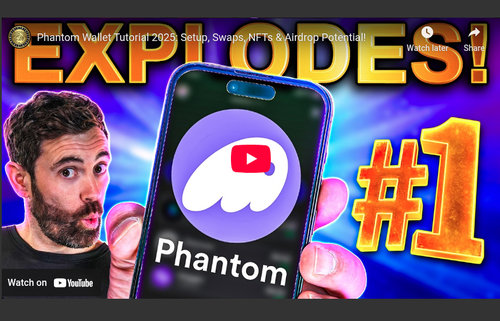
Phantom Wallet Tutorial 2025: Setup, Swaps, NFTs & Airdrop Potential!

Posted by Simon Keighley on May 19, 2025 - 8:22am


Phantom Wallet Tutorial 2025: Setup, Swaps, NFTs & Airdrop Potential!

Phantom Wallet Tutorial 2025: Setup, Swaps, NFTs & Airdrop Potential!

"Late last year, Phantom wallet quietly overtook Coinbase in the app-store rankings. Besides riding the wave of Solana's memecoin craze, Phantom has rapidly evolved into a powerful toolkit for swapping, staking, and bridging crypto assets. On top of that, Phantom recently raised $150 million—leading many to speculate about a potential token or airdrop.

So today, we'll dive into exactly what makes Phantom wallet so special, how to securely set it up, swap your crypto, and connect it to a hardware wallet. We'll also explore whether these developments hint at bigger things to come. This is a video you can’t afford to miss."

~ Coin Bureau

TIMESTAMPS

0:00 Intro 
0:56 Installing Phantom 
6:02 Using Phantom With a dApp
10:22 Connecting Phantom To Ledger
13:57 Phantom Additional Features


Source - Coin Bureau YouTube: https://www.youtube.com/watch?v=da0l8hstXUk


Disclaimer: This video is provided for informational purposes only, and not offered or intended to be used as legal, tax, investment, financial, or any other advice.




ecosystem for entrepreneurs