x




A Simple Way to Transfer Sensitive Files Without Ever Touching the Internet
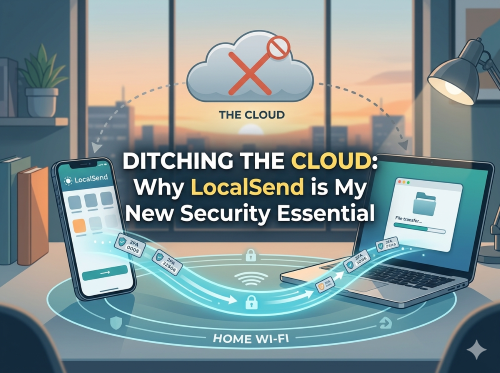
We’ve all been trained to do the same thing. Need to move a file from your phone to your computer? Upload it to the cloud.
Use Google Drive. Email it to yourself. Sync it through iCloud. It’s easy. It’s fast. It’s "normal."
But recently, I hit a wall. I needed to transfer my 2FA (Two-Factor Authentication) recovery codes along with some sensitive personal documents. For the first time, that “normal” workflow didn’t feel right.
Because those files aren’t just documents—they’re keys to my entire digital life.
Uploading those files means placing them on servers I don’t control. Even if they are encrypted, they would still:
Exist outside my possession: Stored on a corporate hard drive somewhere else.
Be tied to an account: If my primary email or cloud account is compromised, these "backdoor keys" are exactly what a hacker looks for.
Leave a footprint: Data often remains stored longer than we intend.
That’s when I realized:
👉 I didn’t need the cloud.
👉 I just needed to move a file from one device to another.
One of the biggest hurdles with "secure" software is usually a painful setup. LocalSend is the opposite. There is no configuration.
You don't have to "pair" devices like Bluetooth, and you don't have to type in IP addresses or technical codes. Once the app is installed, it automatically "sees" other devices on your Wi-Fi. It’s truly a "plug and play" experience for the wireless age.
I tested this across my main devices, and the process was flawless. Here is exactly how I moved my sensitive data:
Moving my 2FA codes from my Android phone to my Windows desktop was a "blink and you'll miss it" experience:
Open LocalSend on both devices.
On my Android, I tapped "Send" and selected my documents.
My Windows PC immediately appeared on the screen with a friendly nickname (mine was "Cool Orange").
I tapped the name, and the file appeared on my desktop instantly.
I also tested this on my older computer running Linux Mint. Often, getting different operating systems to "talk" to each other is a nightmare of settings and permissions.
It worked a treat. I installed LocalSend on the Linux machine, and it recognized my Android phone and Windows PC immediately.
This is a game-changer if you use an older laptop for storage or as a secondary workstation; LocalSend makes it part of your modern ecosystem with zero effort.
LocalSend identifies your gear with friendly, temporary nicknames. Instead of cryptic system names like DESKTOP-AB12XYZ, you’ll see:
"Cool Orange"
"Swift Apple"
"Reliable Android"
This small detail makes the experience feel intuitive. You instantly know which device is which.
🔐 No Accounts: No login. No personal data. No tracking.
🌐 Local-Only: Your files never leave your home network.
🔒 Encrypted: Transfers are protected using HTTPS and TLS encryption.
👀 Open Source: The code is public and verified by the community.
| Feature | Advantage | Trade-Off |
|
Privacy |
100% Local; no third-party servers. | None. |
| Speed |
Blazing fast; uses your Wi-Fi's max speed. |
Depends on your Wi-Fi signal. |
|
Compatibility |
Works on Android, Windows, and Linux Mint. | App must be open on both devices. |
| Ease of Use | No pairing or configuration needed. | Requires a one-time installation. |
You can find it on the Google Play Store or Apple App Store.
Tip: Ensure the developer listed is Tien Nguyen. This is the lead creator of the project. Checking the developer name ensures you are getting the official version.
For maximum privacy, you can download the installation files directly from the Official LocalSend GitHub page.
Link: github.com/localsend/localsend/releases
Windows: Download the .exe or .msix.
Android: Download the .apk.
Linux: Download the .deb file (perfect for Linux Mint) or the Flatpak.
If you’re transferring 2FA recovery codes or identity documents, the cloud is an unnecessary risk. Since I started using LocalSend, I’ve changed my default behavior. Now, my first thought isn't "Which cloud folder?" but rather:
👉 "Can I keep this local?"
Whether you are moving files between a modern Android phone, a Windows workstation, or a trusty Linux Mint laptop, the answer is a resounding yes from me. Check out the reviews and see what you think.
Video - How To Transfer Files Between Any Device for FREE