x




Seven little steps. Real pictures of the real screen. The red ring shows you exactly where to click.
Hi, I'm Chris — the Chief Technology Officer here at MarketHive. Your profile is how you say "this is me" to the whole Hive. When someone likes your post and clicks your name, this is what they find. A good header, a real photo, and a few honest lines make people want to connect with you. Let's set yours up.
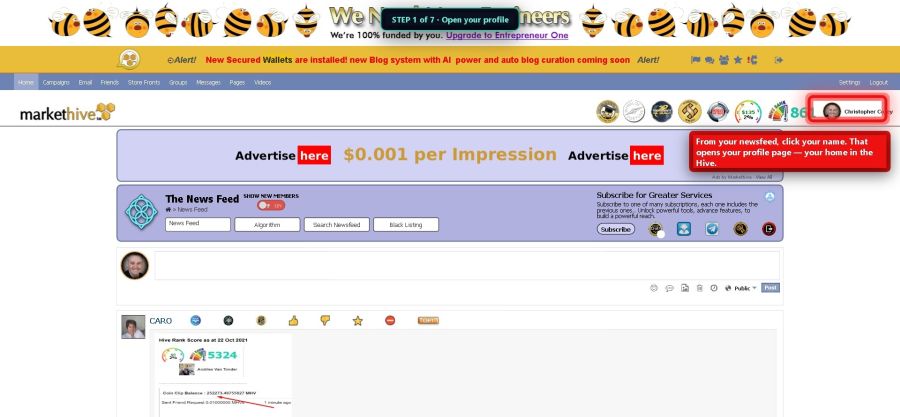
From your newsfeed, click your name in the top right corner. That opens your profile page — your home in the Hive.
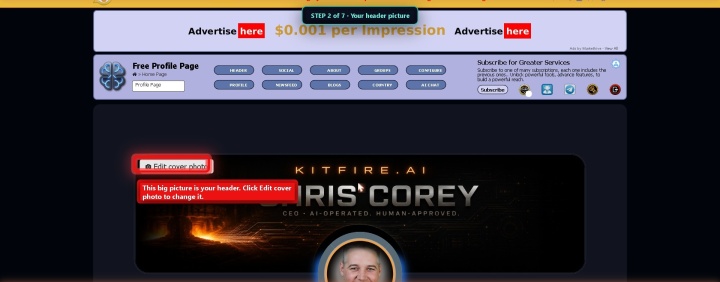
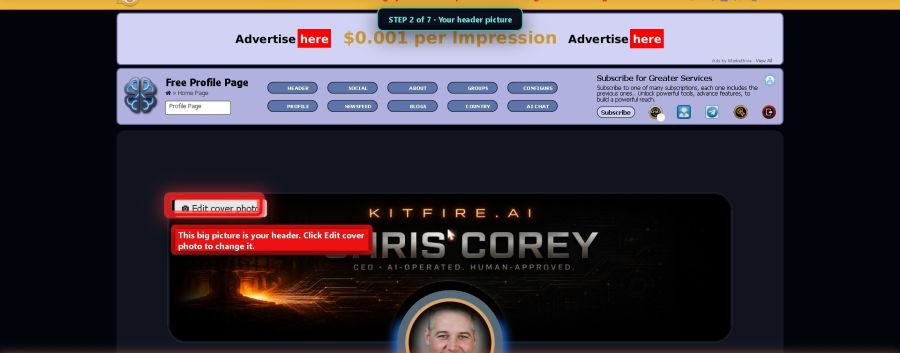
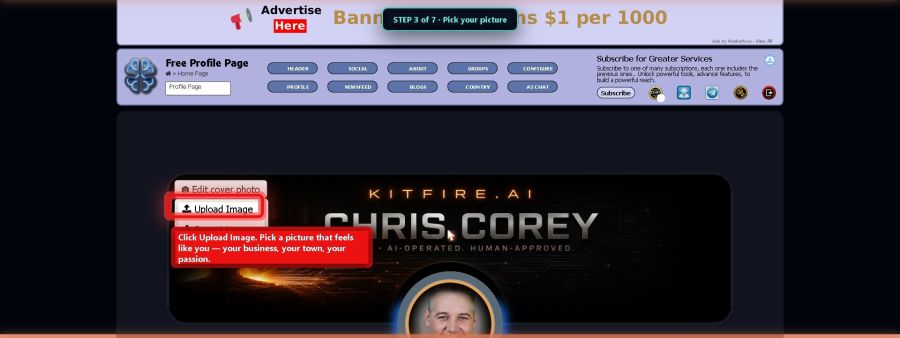
The big picture across the top is your header. It is the first thing people see when they visit you. Click Edit cover photo.
Click Upload Image and pick a picture that feels like you — your business, your town, your passion. If it looks off, the same menu lets you Reposition it until it sits right.
The round photo is your face in the Hive. Click the little camera on it to change it. Use a real photo of you — people connect with faces, not logos.
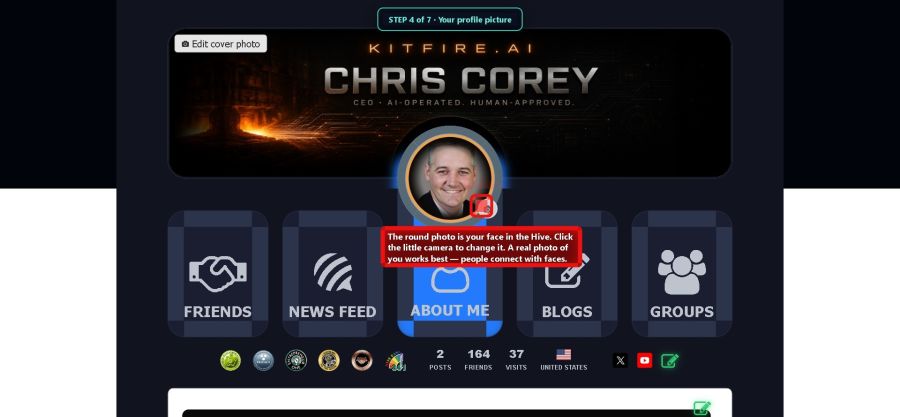
Scroll down a little and click the card that says ABOUT ME. This is where you tell the Hive who you are.

See the little pencil on the right? Click it, and your bio opens up ready to edit.
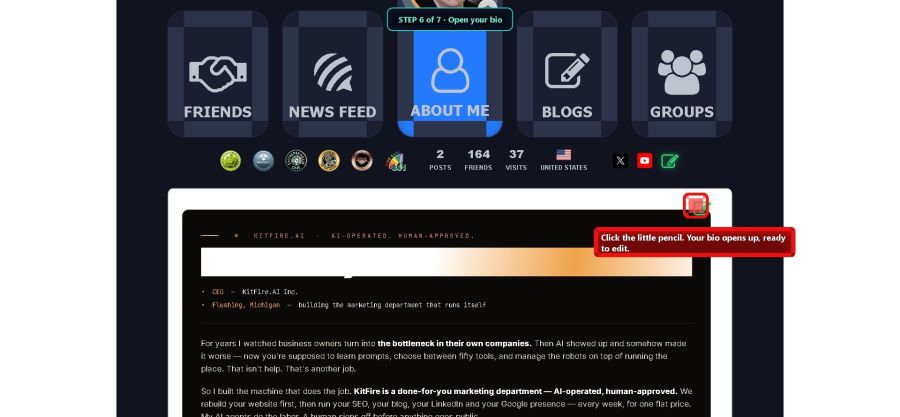
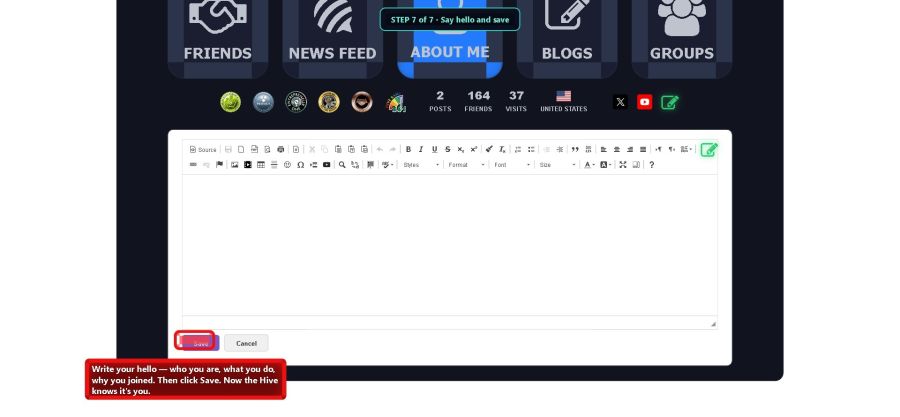
Write your hello. Say who you are, what you do, and why you joined. Talk like you talk — a few honest lines beat a fancy speech. Then click Save. Now the Hive knows it's you.