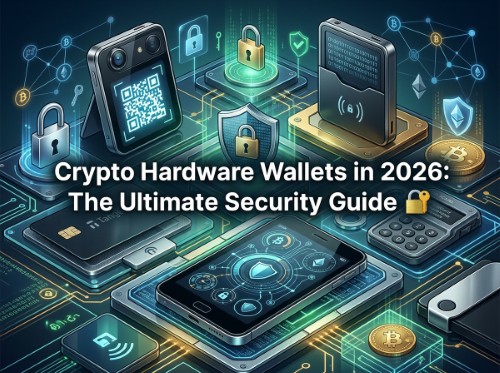
Crypto Hardware Wallets in 2026: The Ultimate Security Guide 🔐
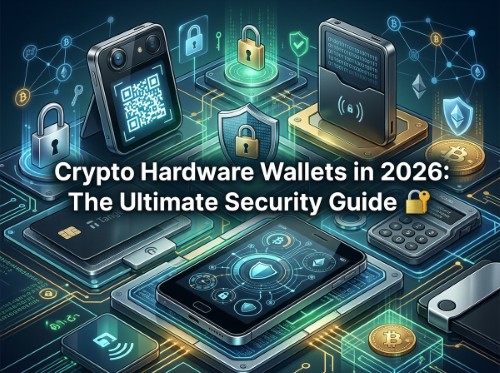
As cryptocurrency adoption matures into 2026, self-custody remains the single most critical practice for protecting your digital assets. While centralised exchanges and hot wallets on mobile phones offer convenience, they leave private keys vulnerable to phishing, exchange insolvencies, and sophisticated device malware.
Hardware wallets—often referred to as cold storage devices—solve this problem by keeping your private keys entirely isolated from the internet. When you approve a transaction, the private keys sign the message securely inside the physical hardware unit.
However, with touchscreen flagships, QR-code air-gapped devices, NFC cards, and Bitcoin-only models flooding the market, selecting the right hardware wallet can feel overwhelming. Below is an in-depth breakdown of the leading hardware wallets in 2026, comparing their security architectures, usability, connectivity, and essential safety trade-offs.
How Hardware Wallets Safeguard Digital Assets
To choose the right device, it is important to understand what a hardware wallet actually protects—and where its limits lie.
- Isolation of Private Keys: A hardware wallet ensures that transaction signing happens away from your smartphone or computer. Even if your laptop is infected with keyloggers or malware, your private keys remain safe inside the secure environment of the wallet.
- On-Device Screen Verification: Most modern hardware wallets feature a display screen. This allows you to visually verify the receiving address, gas fees, and token amounts on an independent, tamper-proof device before signing. If malware alters the address shown on your laptop monitor, the wallet screen reveals the true destination.
- Limits of Protection: A hardware wallet cannot prevent you from willingly approving a malicious contract or sending funds to a scam address. Furthermore, your device is only as secure as your seed phrase backup; if someone gains access to your recovery phrase, they can bypass the physical wallet entirely.
Multi-Asset Hardware Wallets: Choosing Your Daily Driver
If your portfolio spans multiple blockchains—such as Bitcoin, Ethereum, Solana, and layer-2 networks—you require a multi-asset wallet with broad ecosystem support.
Ledger Lineup: Stax, Flex, Nano Gen5, Nano X, and Nano S Plus
Ledger continues to rely on certified Secure Element chips combined with its proprietary operating system (BOLOS). Whilst Secure Element chips offer robust physical defense against hardware extraction, they prevent Ledger from making their core software fully open-source.
- Ledger Stax & Flex: The flagship Stax features a 3.7-inch curved E Ink touchscreen, whilst the Flex offers a flat 2.8-inch E Ink display. However, real-world testing highlights notable input lag on the curved Stax screen, causing users to repeatedly mistype PIN codes. The flatter Flex and Nano Gen5 provide a significantly smoother, more reliable user experience.
- Ledger Nano X & Nano S Plus: The Nano X remains a popular mobile option with Bluetooth connectivity and a compact OLED display. For users who prefer a budget-friendly wired device, the Nano S Plus offers identical cryptographic features and multi-app support without the Bluetooth chip or internal battery.
Trezor Series: Safe 7, Safe 5, and Safe 3
Trezor remains the gold standard for open-source enthusiasts, ensuring all device code can be publicly inspected and audited.
- Trezor Safe 7: The flagship model boasting a vibrant colour touchscreen, secure element integration, and intuitive navigation for interacting with decentralised applications (dApps).
- Trezor Safe 5 & Safe 3 Universal: The Safe 5 Universal offers a responsive colour touchscreen in a compact wired format, whilst the entry-level Safe 3 Universal uses physical buttons and a crisp monochrome display. Both provide exceptional multi-asset support through the Trezor Suite app.
Swiss Precision: BitBox02 Nova Multicoin & BitBox02
Manufactured in Switzerland, the BitBox02 series prioritises clean design and robust backup redundancy. Available in both a Bluetooth-enabled Nova version and a wired USB model, these devices use invisible touch sensors along the edges rather than a traditional touchscreen. Notably, BitBox enables users to back up their seed phrases directly onto an encrypted microSD card alongside traditional paper backups.
Budget Efficiency: SafePal X1
For cost-conscious investors, the SafePal X1 delivers wireless Bluetooth connectivity, a full numeric keypad, and a monochrome screen at a fraction of the cost of flagship devices. Supporting over 200 blockchains, it serves as an accessible entry point into multi-chain cold storage.
Air-Gapped & Alternative Connectivity: QR Codes vs NFC
For users seeking total physical isolation or maximum portability, alternative connectivity methods remove USB and Bluetooth vectors entirely.
QR-Code Air-Gapped Wallets
Air-gapped wallets exchange transaction data strictly via visual QR codes scanned between the wallet camera and a mobile phone app. Data cables are used exclusively for charging and firmware updates.
- SafePal S1 & S1 Pro: Utilising an integrated camera and colour display, the S1 series ensures zero wireless signals leave the device. The S1 Pro upgrades the standard plastic housing to an aluminium and glass body with enhanced battery life.
- Ngrave Zero: A ultra-secure air-gapped device featuring a large colour touchscreen, anti-tamper hardware housing, and an integrated biometric fingerprint sensor. The Ngrave Zero generates private keys using a cryptographic process that combines biometric data, ambient light readings, and a hardware random number generator.
NFC Cards: Tangem Wallet
The Tangem system replaces traditional hardware devices with durable, chip-embedded NFC credit cards. Transactions are signed by tapping the card against a smartphone.
- Pros: Highly portable, water-resistant, and simple to operate without managing cables.
- Cons: Tangem cards lack a physical screen. This means you cannot independently verify transaction parameters on the wallet itself if your mobile phone screen becomes compromised by malware. Consequently, NFC cards are best suited for smaller daily funds or as key signers in a multi-signature configuration.
Bitcoin-Only Wallets & Critical Security Lessons
Investors who exclusively hold Bitcoin often prefer dedicated Bitcoin-only devices. Stripping away code required for smart contracts and alternative cryptocurrencies significantly reduces the potential attack surface.
Dedicated Firmware Options
Both Trezor and BitBox produce dedicated Bitcoin-only editions of their hardware models. Operating on stripped-back firmware, these devices eliminate extra code liabilities while streamlining the user experience for Bitcoin transactions.
Coinkite Coldcard Mk5, Coldcard Q, and Opendime
Coinkite manufactures advanced, Bitcoin-centric hardware designed for power users who demand full control over transaction building, air-gapped signing, and PSBT (Partially Signed Bitcoin Transactions).
- Coldcard Mk5 & Coldcard Q: The Mk5 features a traditional numeric keypad, while the top-tier Coldcard Q incorporates a full QWERTY keyboard, a large screen, and dual QR-code cameras.
- Important 2026 Security Advisory: Security vigilance remains essential even with top-tier hardware. In mid-2026, a critical vulnerability was disclosed affecting certain Coldcard firmware versions, which resulted in weak key generation and substantial financial losses across the network. Users of Coinkite devices must verify their firmware version against official advisories, update immediately, and migrate funds to newly generated seed phrases if impacted. Firmware patches fix the underlying issue but cannot repair seed phrases initially created under flawed entropy algorithms.
- Coinkite Opendime: A unique physical "credit chip" that acts like digital cash. Bitcoin is loaded onto the device, but the private key remains locked until a small circuit element is physically broken—functioning as a cryptographic piggy bank for face-to-face payments.
Key Takeaways: How to Choose Your Wallet
Selecting the ideal hardware wallet depends on your individual portfolio and security profile:
- Portfolio Scope: Multi-chain investors should lean towards the Trezor Safe 7 (for open-source transparency) or the Ledger Flex (for polished mobile interaction). Dedicated Bitcoin holders will benefit from a Bitcoin-only BitBox02 or Trezor variant.
- Connectivity Preferences: If you mistrust Bluetooth or USB connections, evaluate air-gapped QR devices like the SafePal S1 Pro or Ngrave Zero.
- Backup Strategy: Regardless of the device you purchase, ensure your recovery seed phrase is stored offline on paper or stamped into stainless steel. Never store digital photos or cloud backups of your seed phrase.
A hardware wallet is a powerful tool for mitigating cyber risks, but remaining educated on firmware updates and transaction verification is what ultimately keeps your crypto secure.
Disclaimer: This article is provided for informational purposes only, mistakes may be made, and it's not offered or intended to be used as legal, tax, investment, financial, or any other advice.