x



HIVE ACADEMY / GETTING STARTED
Find your feeds, connect with people, and locate your business tools. Start with the short video, then follow the picture guide at your own pace.
3 min 39 sec • Real screens • Follow the red circles
The AI page maker is coming soon. Smart Mail is a preview, and AI Chat is in beta. Feature notes below reflect September 12, 2026.
Start on your Home Page. Open Go To, choose a section, then choose a destination. Tap any screenshot to see it at full size.
Welcome to Hive Academy. On your Home Page, open Go To. This menu helps you find your way around MarketHive.
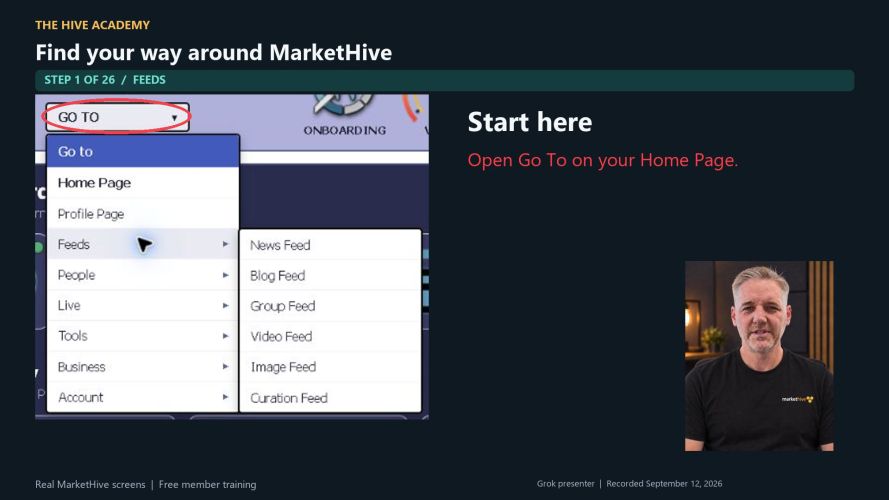
Open Go To on your Home Page.
Home Page takes you to your reports and activity overview. Use it when you want to get your bearings.
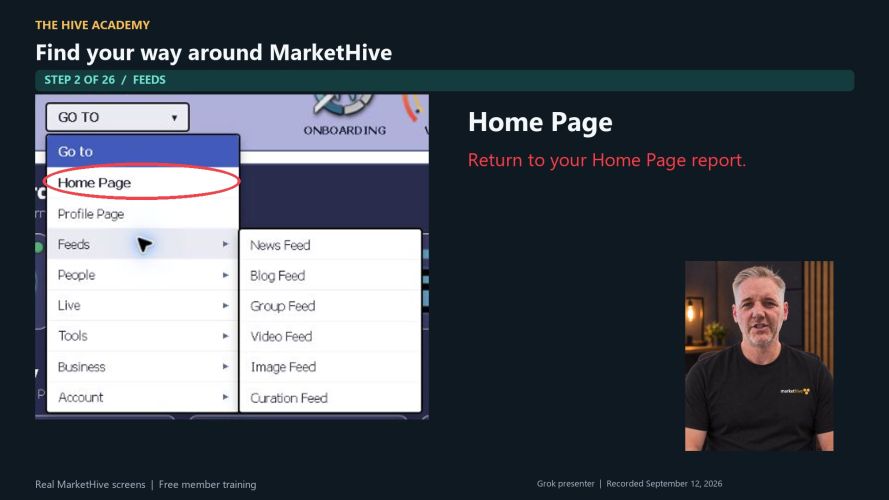
Return to your Home Page report.
Profile Page opens the page other members see about you and your business.
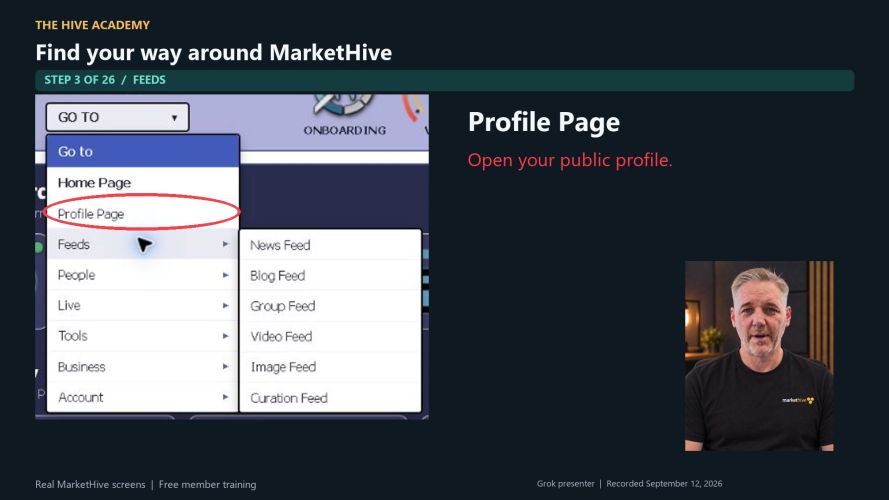
Open your public profile.
Open Feeds. News Feed takes you to the main stream of member posts and conversations.
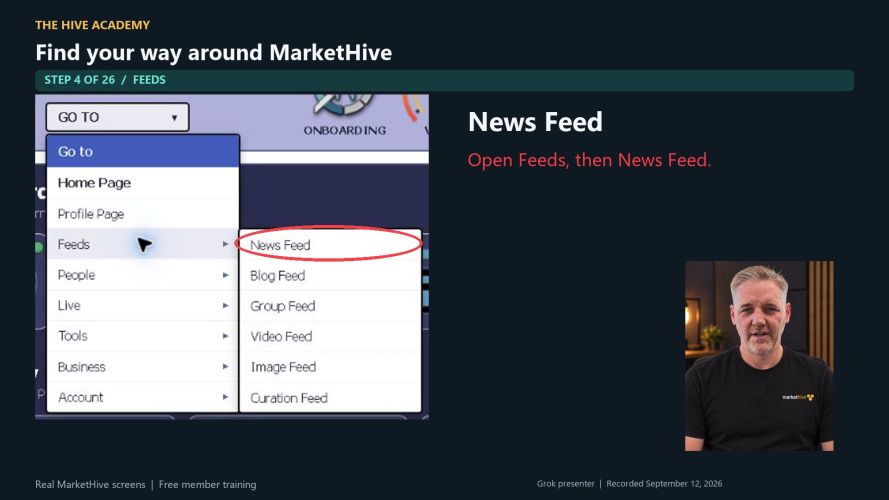
Open Feeds, then News Feed.
Blog Feed takes you to longer articles. The new AI-powered blog system is coming soon.
AI blog upgrade: coming soon
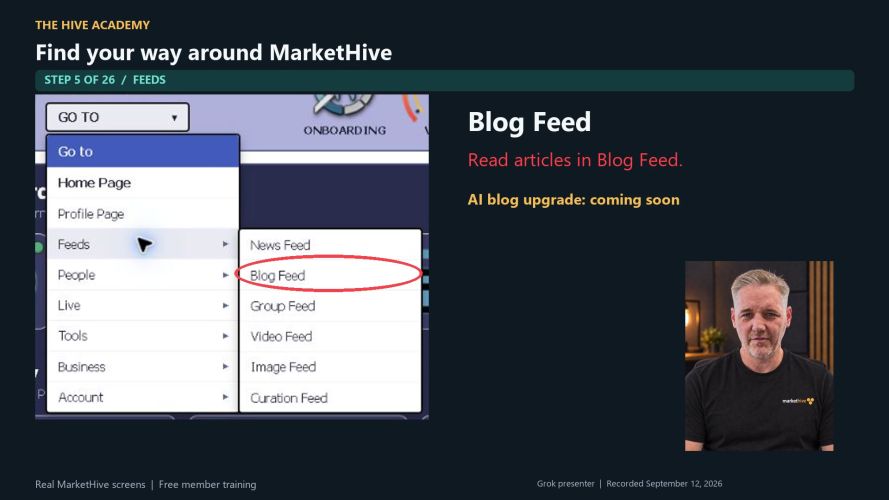
Read articles in Blog Feed.
Group Feed opens the groups area. Find communities built around shared interests, including Hive Academy.
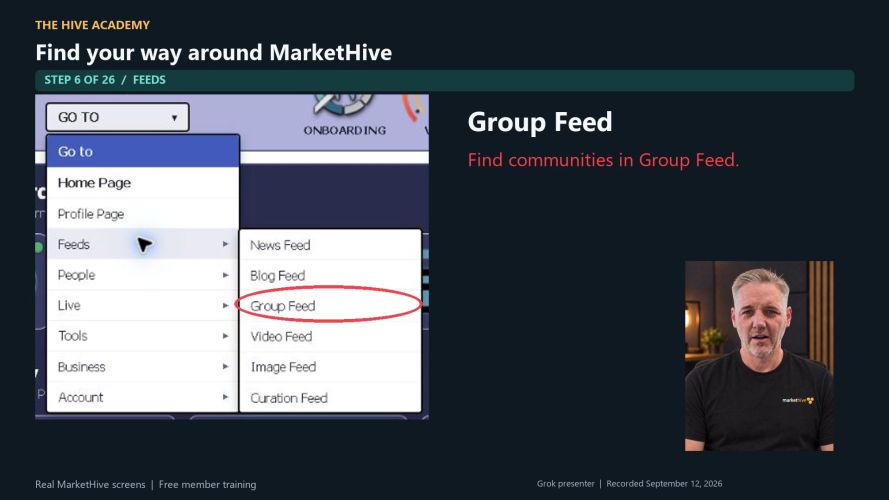
Find communities in Group Feed.
Video Feed opens the videos area. Your account may land on My Videos first.
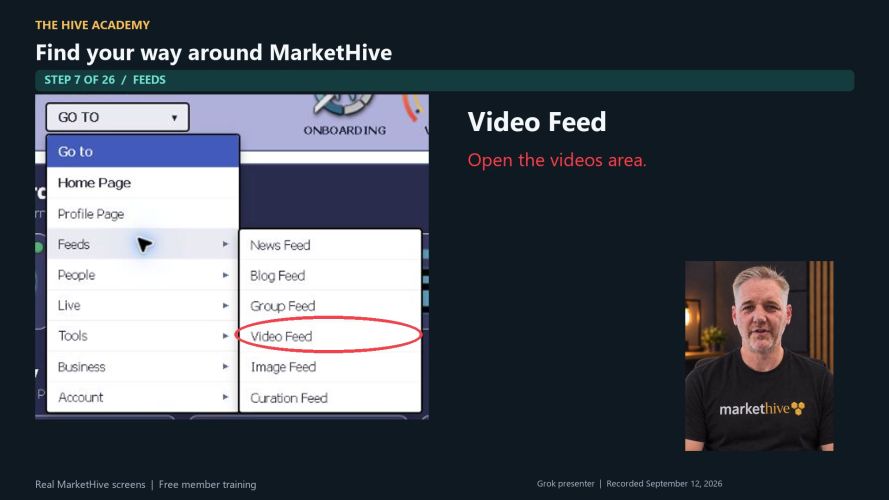
Open the videos area.
Image Feed is the shortcut for image content. At recording time, this link returns to Home Page.
Shortcut currently returns to Home Page
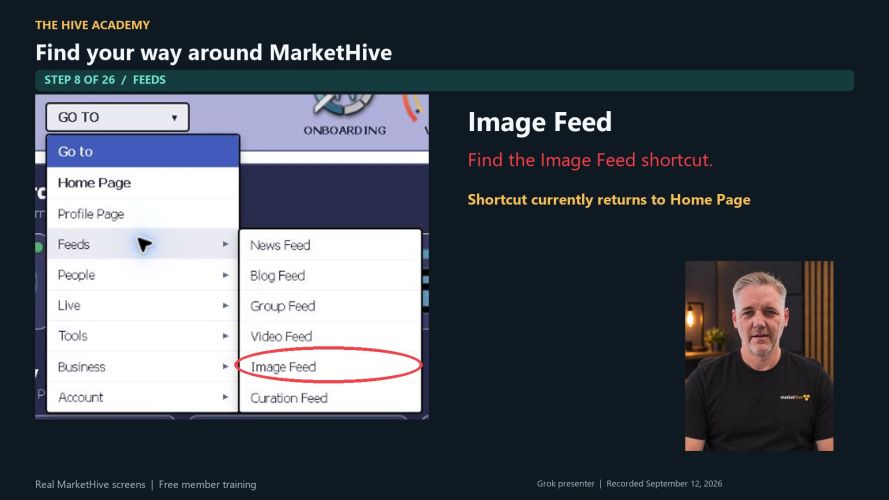
Find the Image Feed shortcut.
Curation Feed is intended for curated content. This shortcut also returns to Home Page today.
Shortcut currently returns to Home Page
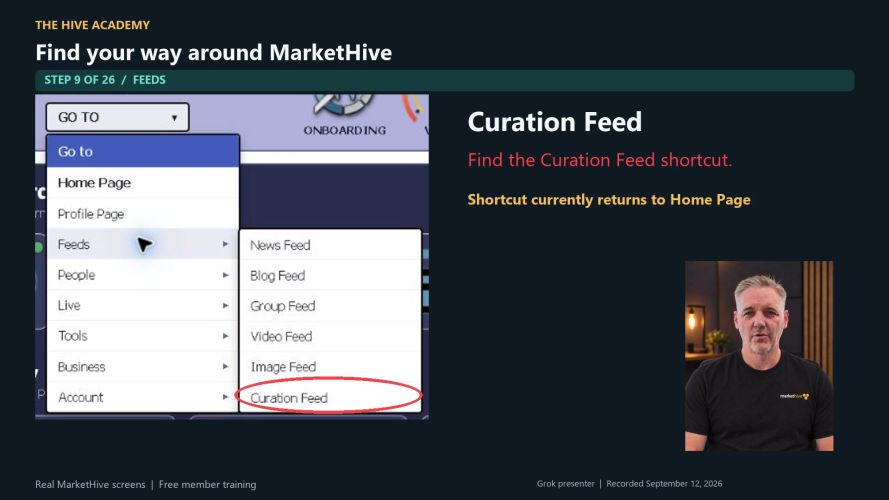
Find the Curation Feed shortcut.
Open People. Friends takes you to your member connections.
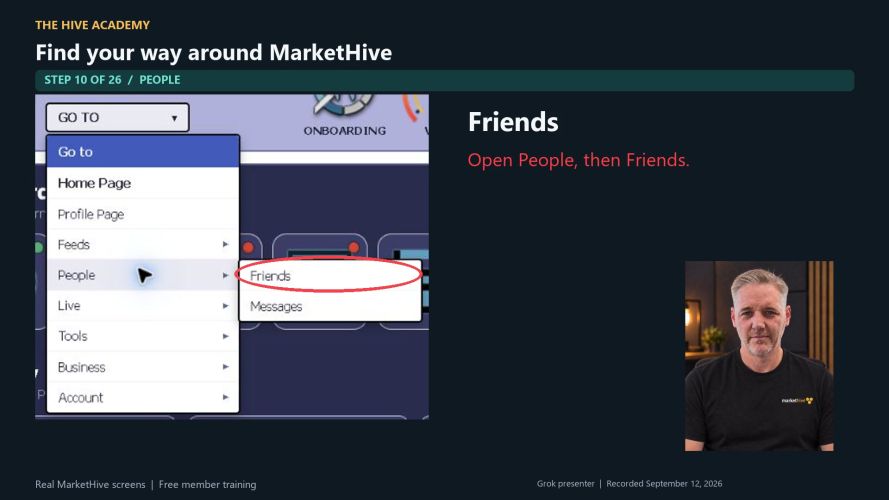
Open People, then Friends.
Messages opens your private conversations. Opening this page does not send a message.
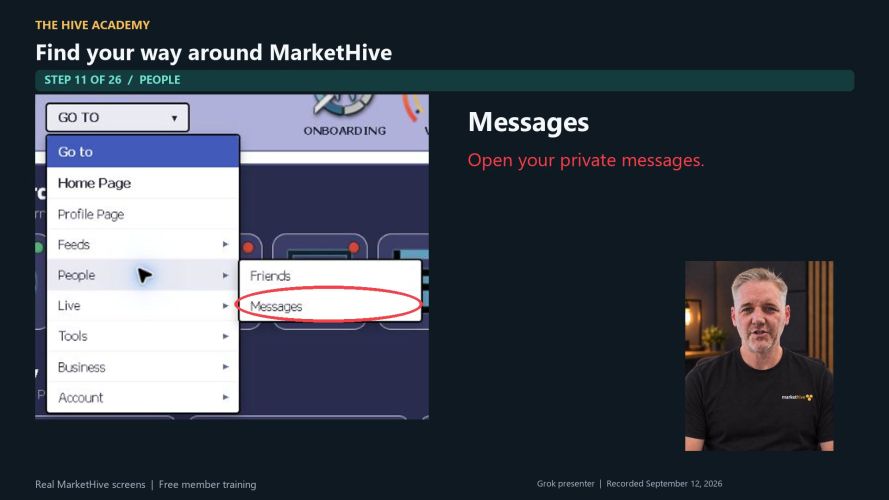
Open your private messages.
Open Live. Calendar takes you to the Hive Calendar for dates and events.
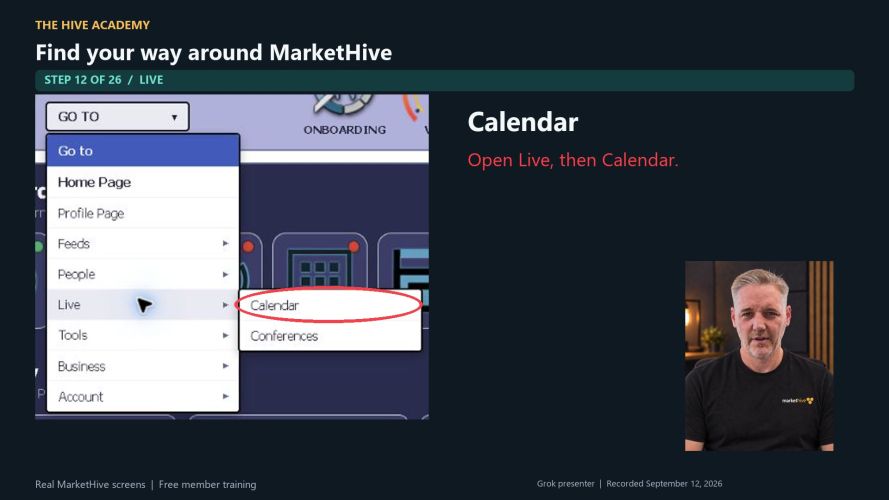
Open Live, then Calendar.
Conferences are linked inside groups. That training is already in Hive Academy, so we will skip it here.
Already covered in Hive Academy
Open the existing group meeting-room guide →
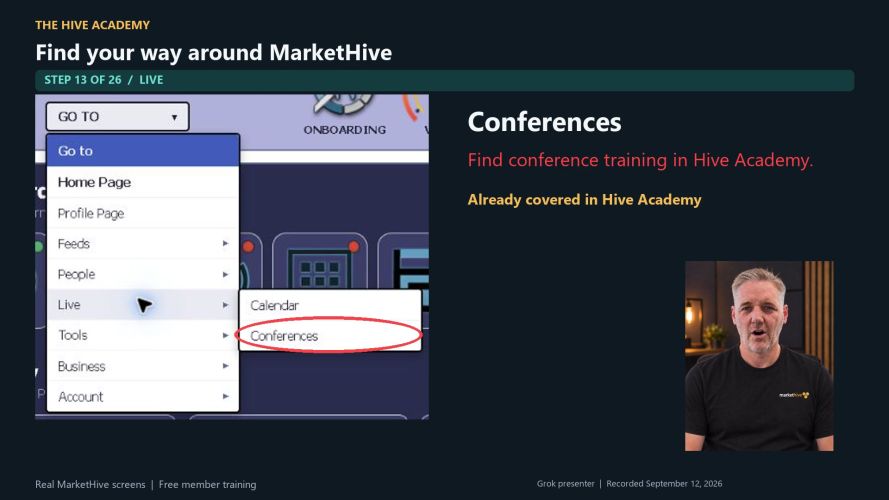
Find conference training in Hive Academy.
Open Tools. Site Maker is our page-building shortcut. The AI page maker is still in development and coming soon.
AI page maker: in development / coming soon
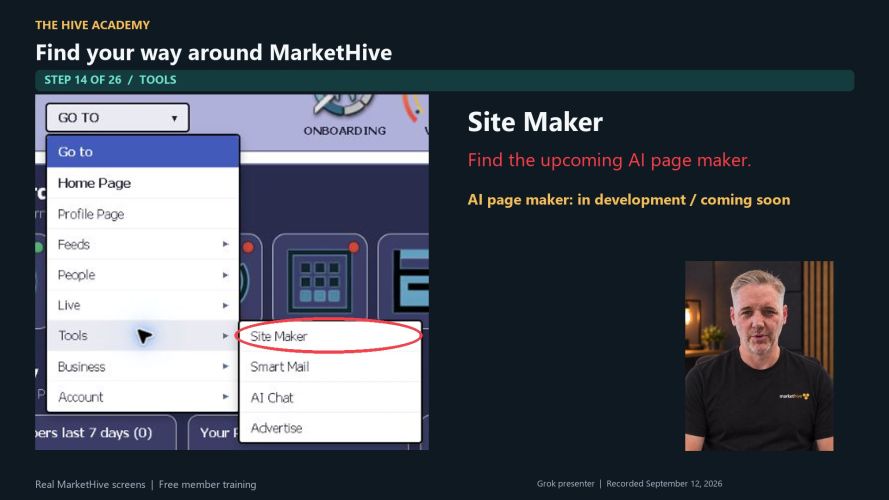
Find the upcoming AI page maker.
Smart Mail manages broadcasts and contact lists. The current page is a preview. Sending and importing are not available yet.
Preview: sending and importing unavailable
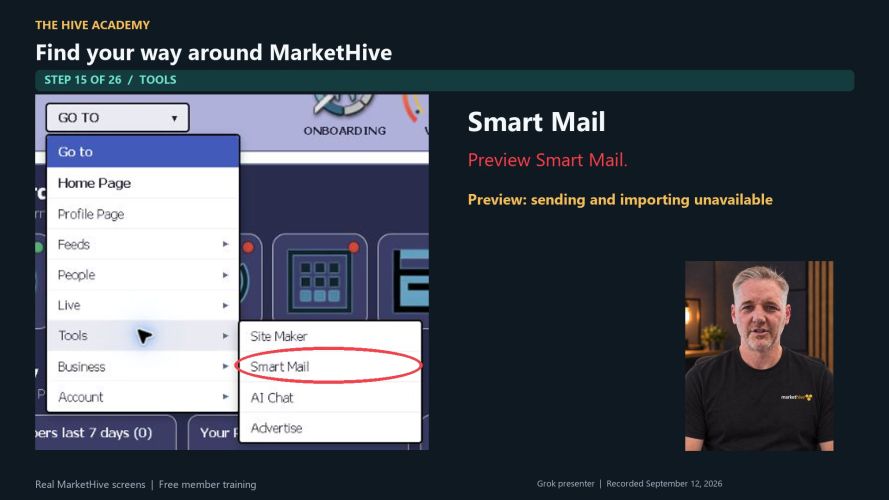
Preview Smart Mail.
AI Chat opens the Markethive AI assistant. It is in beta for questions about your account, blogs, banners, and network.
Available in beta
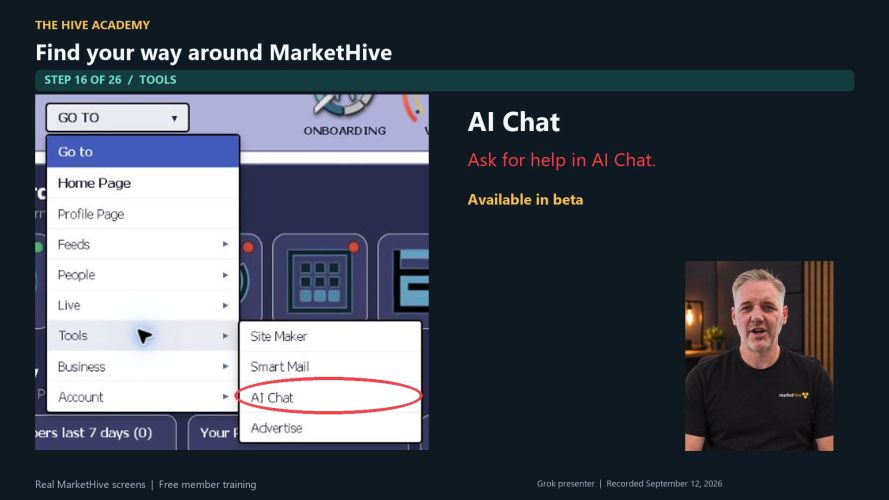
Ask for help in AI Chat.
Advertise takes you to advertising information and tools. You can look around without placing an order.
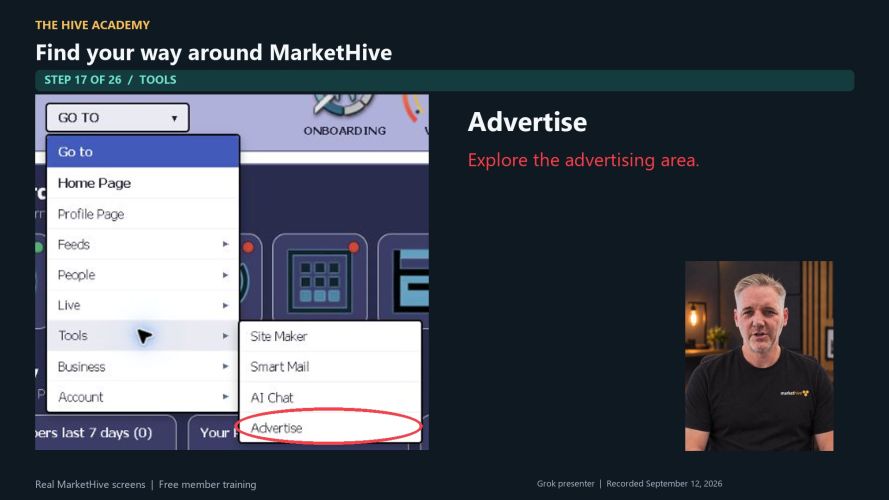
Explore the advertising area.
Open Business. Subscriptions shows upgrades and services. Check each product label to see what is available or still in development.
Read each product's availability label
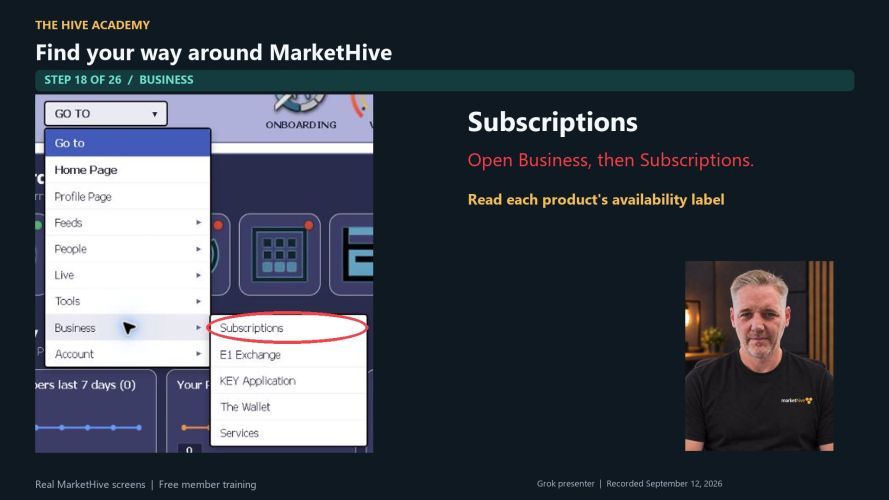
Open Business, then Subscriptions.
E1 Exchange opens the Entrepreneur One information and exchange area. This lesson only shows where to find it.
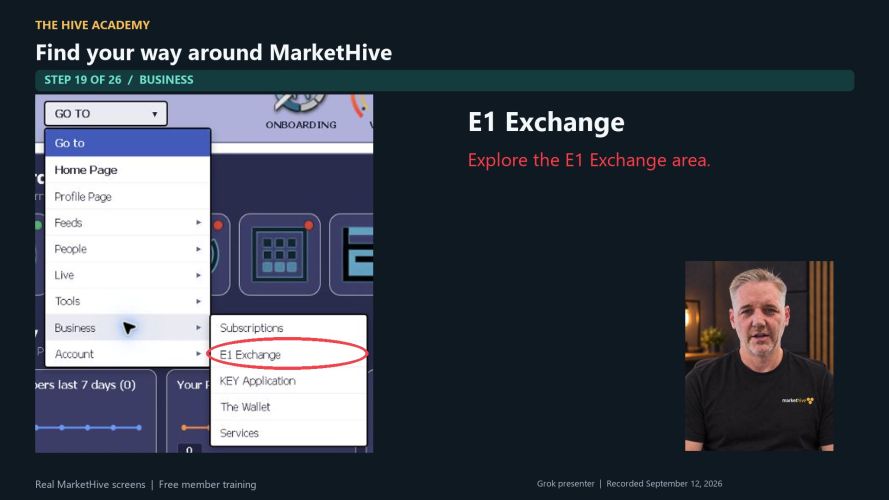
Explore the E1 Exchange area.
KEY Application opens the account verification area. Follow the instructions shown for your account.
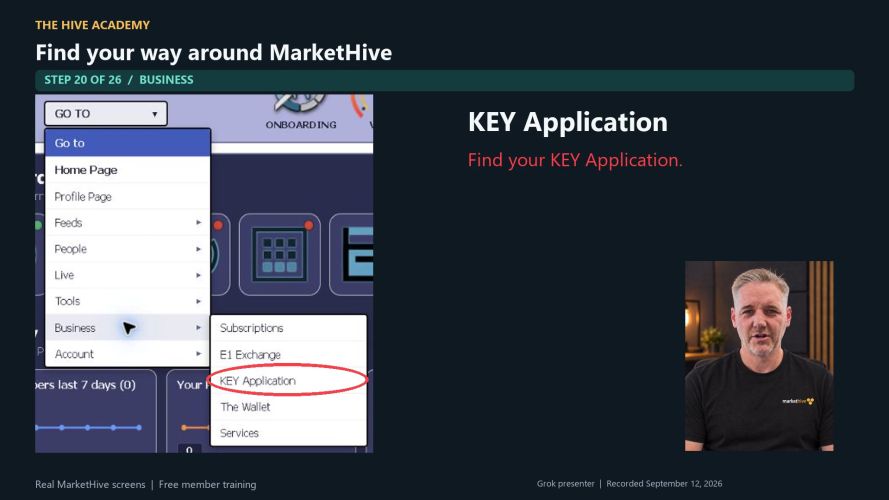
Find your KEY Application.
The Wallet opens your wallet area. We are only locating it here, not making a transfer.
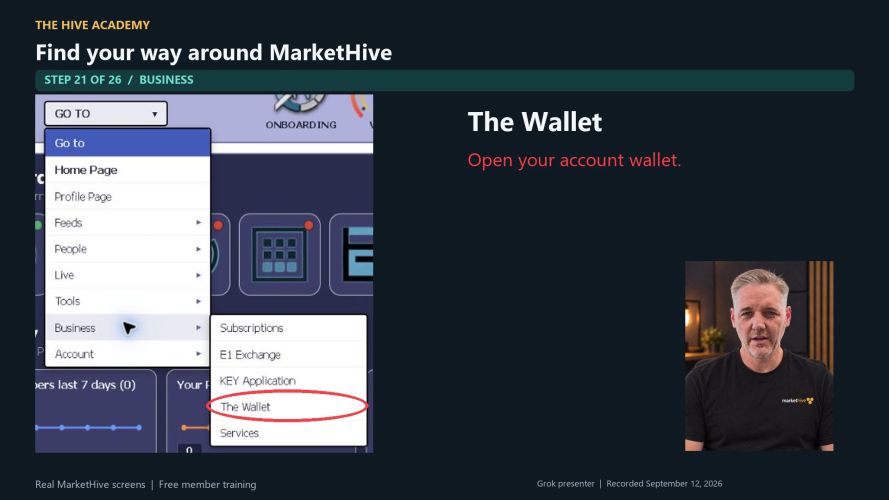
Open your account wallet.
Services is another business shortcut. Today it returns to Home Page. A separate services catalog is not available through this link.
Shortcut currently returns to Home Page
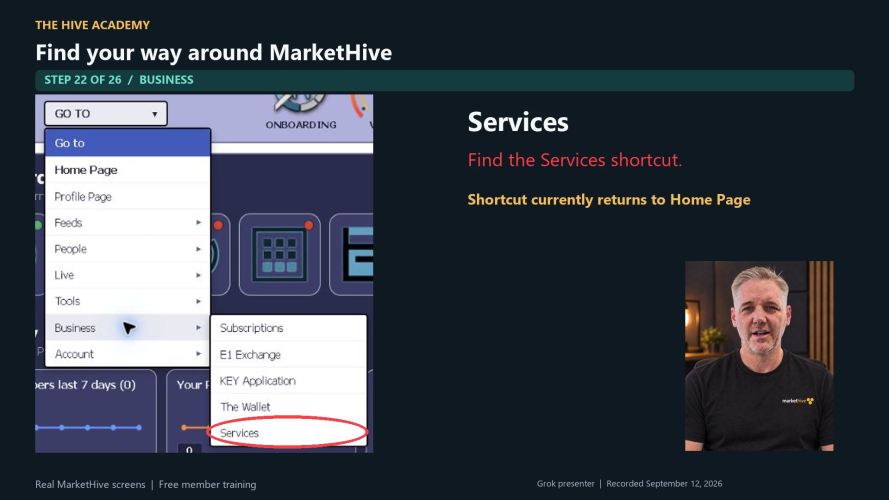
Find the Services shortcut.
Open Account. Settings takes you to your account controls and preferences.
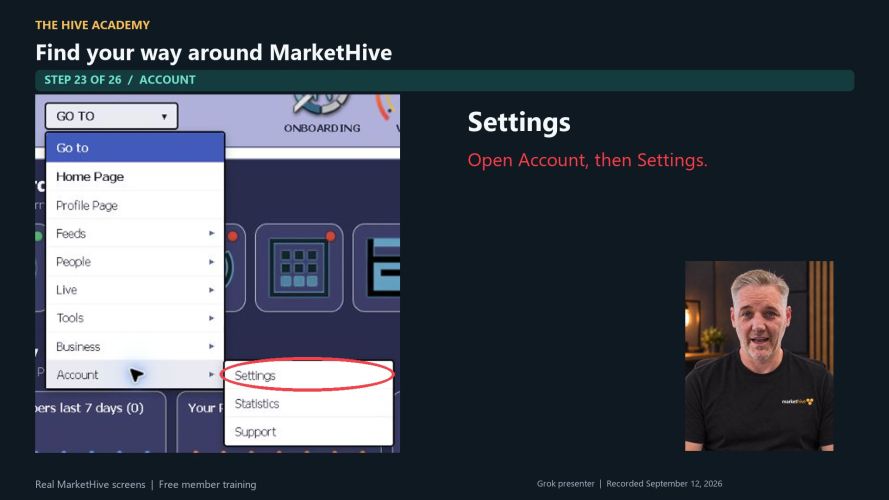
Open Account, then Settings.
Statistics currently opens the Hive Rank area within Settings.
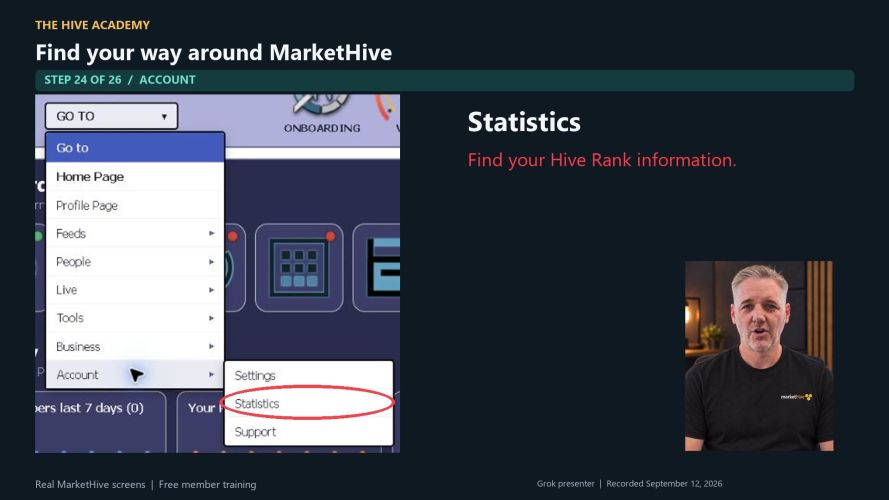
Find your Hive Rank information.
Support opens the Support Center. Use it when you need help or want to report a problem.
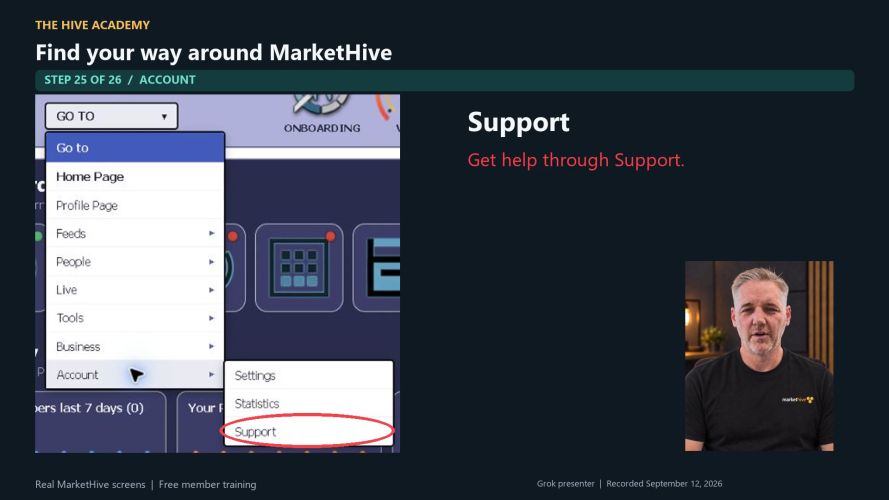
Get help through Support.
Choose Feeds, then News Feed to return. Want to master MarketHive? Visit Hive Academy for free videos and picture guides.
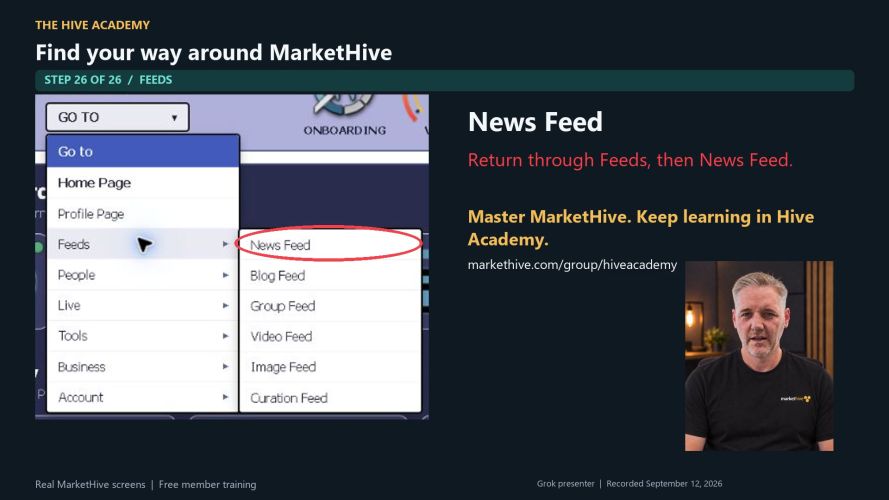
Return through Feeds, then News Feed.
Build your confidence one lesson at a time. Hive Academy offers free videos and picture guides to help you master the system.
Screens captured September 12, 2026. Presenter created with Grok.